
 | This template contains coding that is not compatible with mobile versions of Wikipedia, causing display and accessibility problems. Read the documentation for an explanation. |
 | This template uses Lua: |
This template creates a slideshow gallery with a randomised order – i.e. it changes when the page is purged. It is intended for use in portals and will not display in article space.
Usage
[edit]As many images and captions as desired may be specified, in the following format:
{{Random slideshow
| First image  | first caption
| second image | second caption
| third image  | third caption
}}
Credits (e.g. "Photograph: Example") may be specified, using the following format
{{Random slideshow
| First image  | first caption | credit1=
| second image | second caption | credit2=
| third image  | third caption | credit3=
}}
Parameters
[edit]|1=,|3=,|5=, ... (or equivalent positional parameters)- File name. The "File:" prefix is optional.
|2=,|4=,|6=, ... (or equivalent positional parameters)- Caption for the file.
|credit1=,|credit2=,|credit3=, ...- Credits for the file. Optional.
|width=- Maximum width for all images; default is
100%(intended for use inside portal components) - Can be specified as a
%(e.g. 75%), or inems (e.g. 30em), or inpx(e.g. 200px) - If a unit is not specified,
pxis assumed (i.e. 350 is equivalent to 350px) |random=- Set to
noorfalseto turn off the randomisation.
Display in the mobile view
[edit]On mobile devices, a standard gallery is displayed instead of the slideshow. If the screen width is less than 720px, only the first four images after randomisation are visible (example screenshot). For mobile devices with larger resolutions, all images are displayed (example screenshot). For some tables, it displays all images stacked (example screenshot).
Examples
[edit]to see these galleries in a different order
Cats
[edit]{{Box-header|title=Selected pictures}}
{{Random slideshow
| File:Cat playing with a lizard.jpg | Cat playing with a lizard
| Felis silvestris catus lying on rice straw.jpg | Cat lying on rice straw
| Mumbai 03-2016 63 Dhobi Talao Chowk.jpg | Cats in Mumbai
| File:Felis catus-cat on snow.jpg | Cat on snow
| Tired 20-year-old cat.jpg | Tired cat
}}
{{Box-footer}}
Selected pictures
-
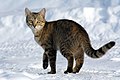 Cat on snow
 -
 Tired cat
 -
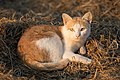 Cat lying on rice straw
 -
 Cats in Mumbai
 -
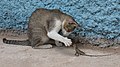 Cat playing with a lizard


Mice
[edit]{{Random slideshow | width=275
| File:Agouti Mice.jpg | Two mice | credit1= Photograph: Pogrebnoj-Alexandroff
| Brown mouse.jpg | Brown mouse | credit2= Photograph: [[User:Kulmalukko|Tiia Monto]]
| File:Farbmaeuse.jpg | Mice with food | credit3= Photograph: [[c:User:Whitesky~commonswiki|Whitesky]]
| File:Farbmaus.JPG | Mouse on a wheel | credit2= Photograph: [[de:User:R2Dine|R2Dine]]
| White lab mouse in hand B.jpg | A mouse in the hand is worth two in the bush | credit4= Photograph: Pogrebnoj-Alexandroff
}}
-
 A mouse in the hand is worth two in the bush
Photograph: Pogrebnoj-Alexandroff
-
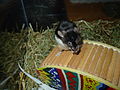 Mouse on a wheel
Photograph: R2Dine
-
 Brown mouse
Photograph: Tiia Monto
-
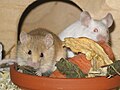 Mice with food
Photograph: Whitesky
-
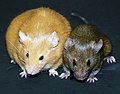 Two mice
Photograph: Pogrebnoj-Alexandroff


TemplateData
[edit]TemplateData for Random slideshow
Creates a slideshow gallery with randomized order. Add as many images as desired.
| Parameter | Description | Type | Status | |
|---|---|---|---|---|
| Image 1 | 1 (unnamed positional parameter) | Name of the first image, without prefix
| File | required |
| Caption 1 | 2 (unnamed positional parameter) | Caption of the first image
| String | required |
| Credit 1 | credit1 | Credit for the first image
| Unknown | optional |
| Width | width | Maximum width of all images
| Number | suggested |
| Image 2 | 3 (unnamed positional parameter | Name of the second image, without prefix
| File | suggested |
| Caption 2 | 4 (unnamed positional parameter) | Caption of the second image
| String | suggested |
| Credit 2 | credit2 | Credits for the second image
| Unknown | optional |


